For physiotherapists
Create and assign exercise plans to patients.
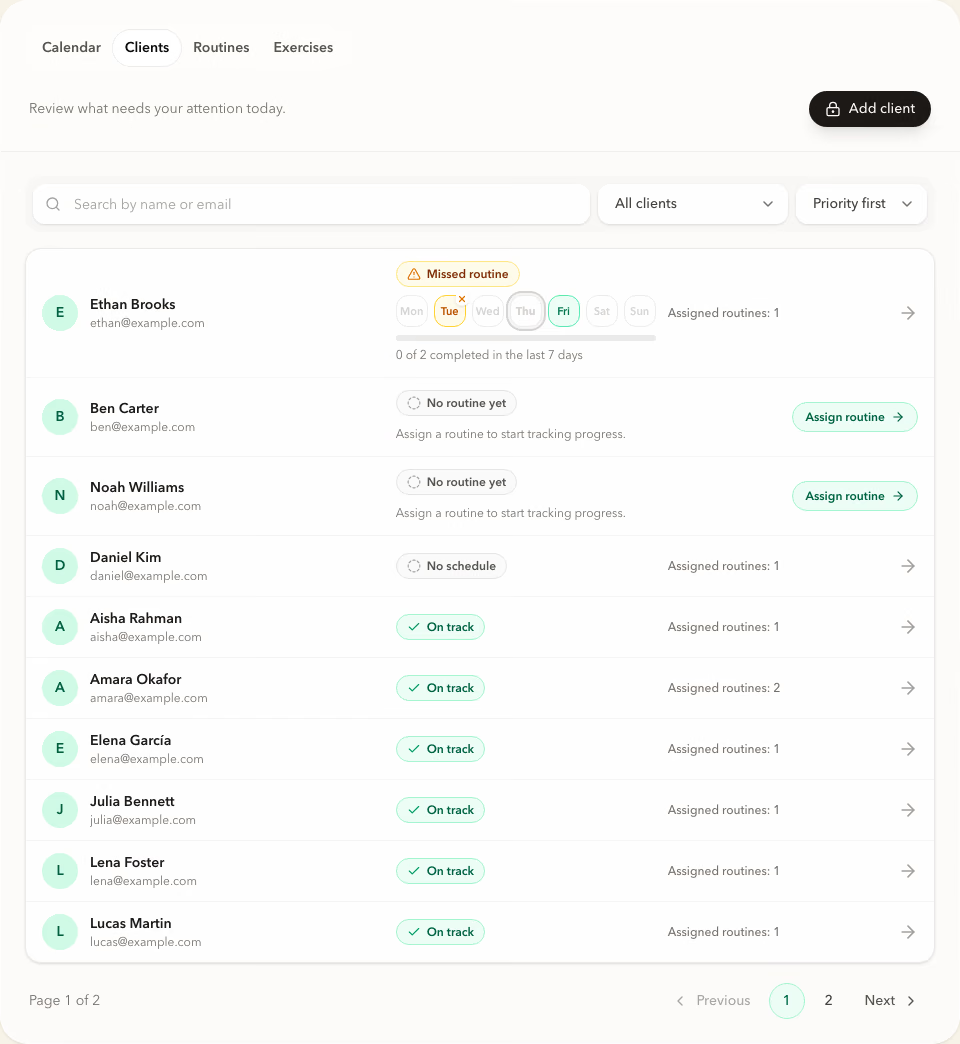
Build routines, set schedules, and give patients step-by-step exercises in the free Forma app. From the dashboard, you assign plans and see which sessions were completed.
Professional access is not available yet.

From exercises to an assigned plan
Build the routine. Assign it. Review completion.
Create and adapt
Adapt a routine for the next patient.
Start with a ready-made routine or build your own from the exercise library. Adjust targets and notes before assigning it.
 Product screenshotScreenshot coming soon
Invite and assign
Assign the plan and set the schedule.
Send a personal invite link, assign a routine, and select exercise days. The patient sees the plan in the free Forma app.
 Product screenshotScreenshot coming soon
Review
Return to the plan before the next appointment.
Completed sessions appear in the dashboard. Review the weekly schedule and see where a planned session was not completed.
 Product screenshotScreenshot coming soon


Interactive demo
See how exercise plans are organized between appointments.
Open a sample dashboard and review patients, routines, schedules, and completed sessions. No registration is required.
No account required. Demo changes are not saved.
App FAQ for physiotherapists
Questions before assigning the first plan.
Prepare the next exercise plan in Forma.
Leave your email and choose the features that matter to your work.